How do elite professionals solve complex cybersecurity problems?
In this newsletter, I’ll walk you through a simple, step-by-step framework using an MCSI exercise. It’s deliberately basic — because that’s the point. I want you to see that even the most advanced practitioners rely on clear, repeatable processes.
This method isn’t just for beginners. It’s designed to scale. Whether you’re troubleshooting daily threats or navigating enterprise-wide risk, the goal is to give you a process you can apply to any problem — especially the hard ones you’re facing at work.
Step 1: Identify the Parts of the Problem
Let’s start with one of the simplest exercises from MCSI: set up two virtual machines, connect them on a shared network, and verify they can communicate.
It’s a basic lab—but it trips up a lot of newcomers. Many have never done hands-on technical work or have only worked in pre-built environments. So building something from scratch is brand new territory.
Step one: slow down and read the exercise description carefully. As you go, identify every “part” that stands out. Don’t overthink it—just mentally note each element mentioned.
Below, you’ll see a diagram with the parts I identified. They’re unorganized for now; we’ll tackle that next.
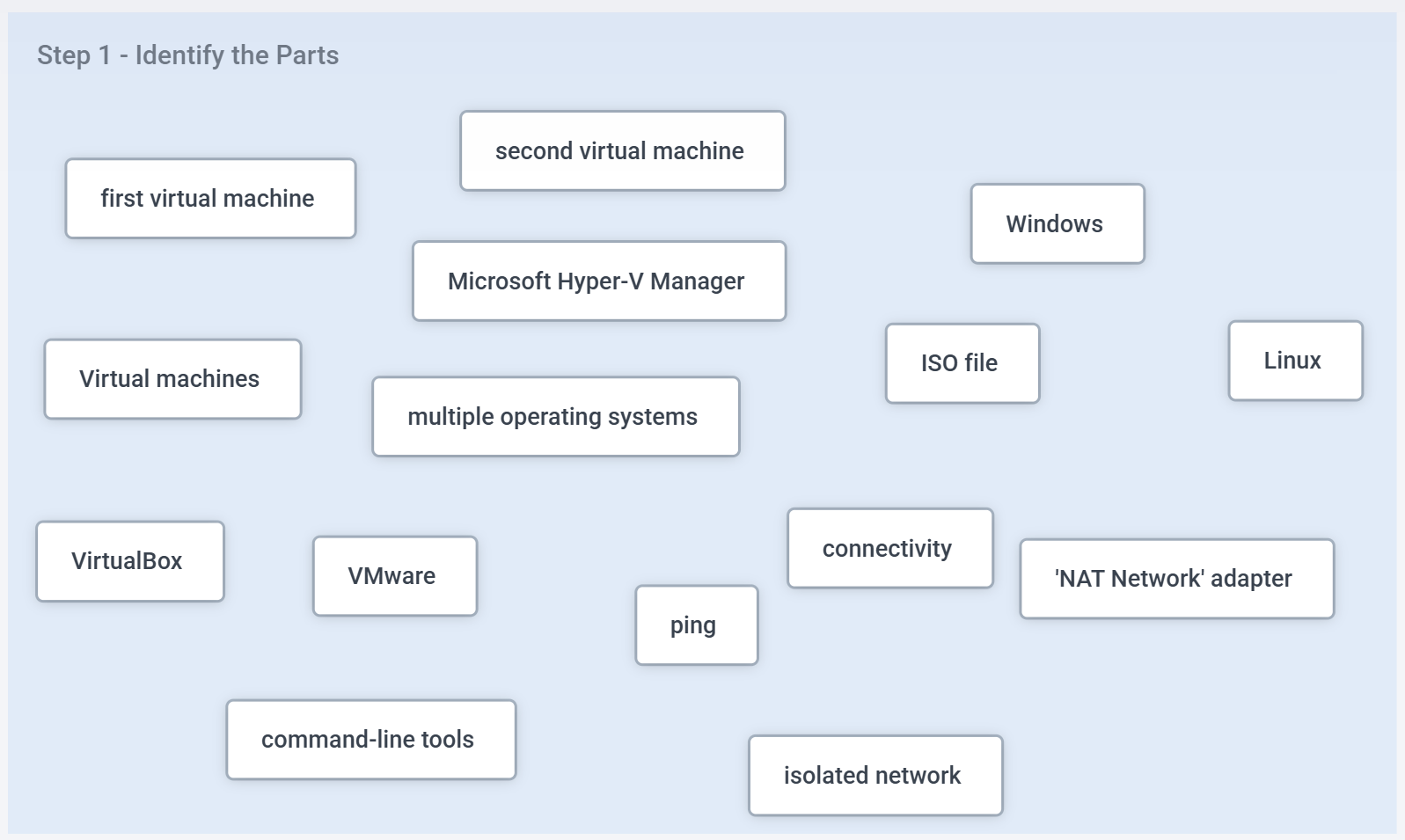
But before you move forward, pause. Ask yourself: “Do I actually understand every part listed here?” If there’s anything you don’t fully grasp—like the command “ping”—this is where the real learning begins. Your job is to stop, research it, and build a basic understanding before continuing. That’s how professionals grow.
Step 2 - Organize the Parts into Logical Wholes
Now it’s time to organize the parts into logical groupings — or “wholes.” The diagram below shows one example, but it’s not the only way to do it. There are multiple valid ways to structure the same system.
Notice how I introduced a new whole labelled “Hypervisors.” That wasn’t identified in the previous step.
The process isn’t rigid — it’s flexible and based on logic. As you deepen your understanding, new groupings or relationships may emerge. That’s completely normal and you can edit your diagrams as much as you need.
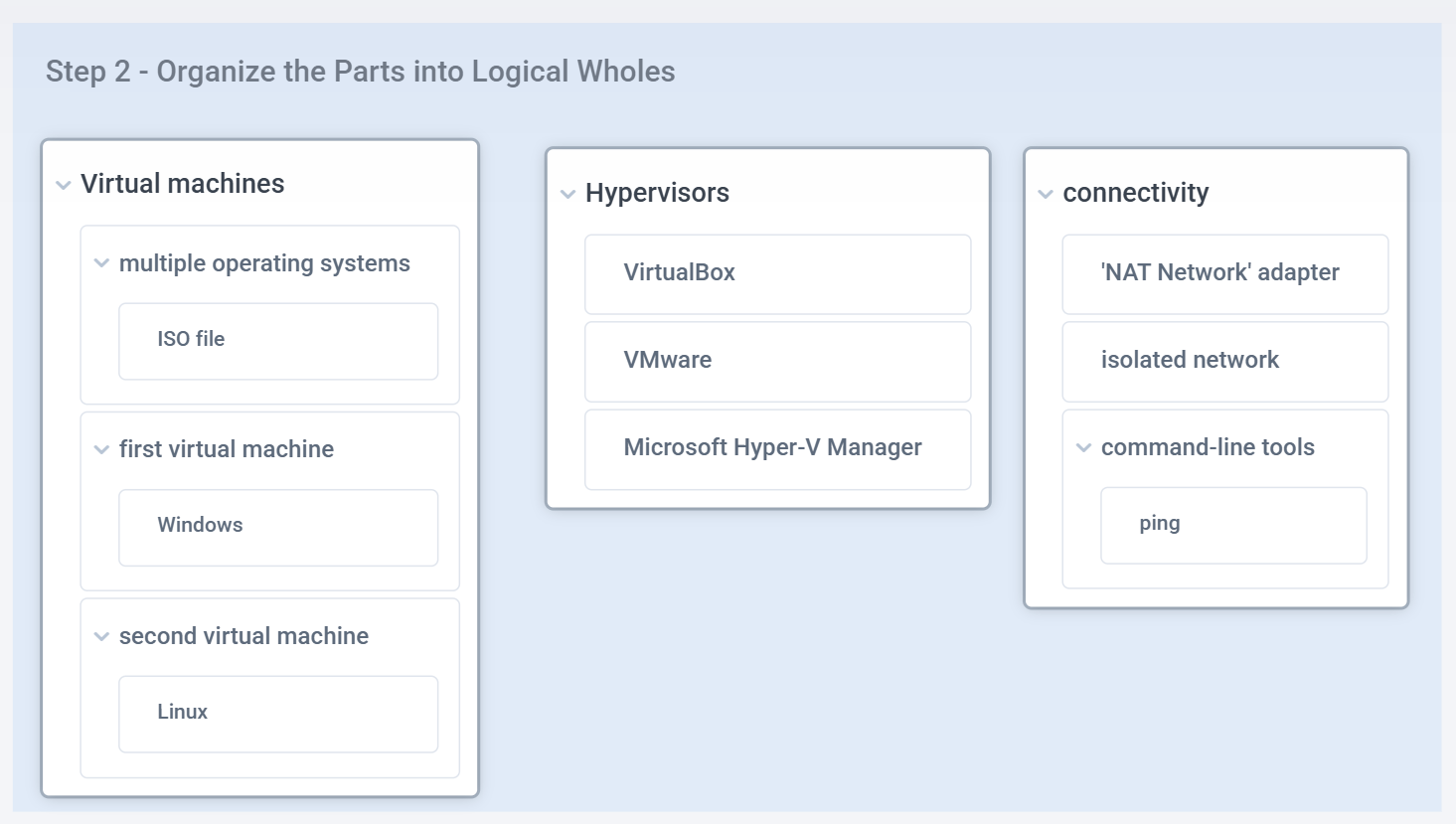
If there’s still a part you’re unsure about — where it fits or what it even means — that’s your growth moment! Stop. Do the research. Ask questions. This is how you build real understanding.
Remember, these diagrams aren’t for decoration. They’re tools to help you validate your own thinking about the problem you’re solving.
Looking at the diagram, a few things should be crystal clear by now:
You need to set up two virtual machines—one Windows, one Linux—which means you’ll need the right ISO files.
You have three hypervisor options to choose from.
You need to configure network connectivity and confirm it works using the “ping” command.
The next step is to take these elements and assemble them into a functioning system.
Step 3 - Organize the Parts into a System
Now it’s time to build a system diagram. The goal here is to show how all the parts come together into a working system.
In this case, I created a simple system diagram: two virtual machines connected to the same NAT network using VirtualBox.
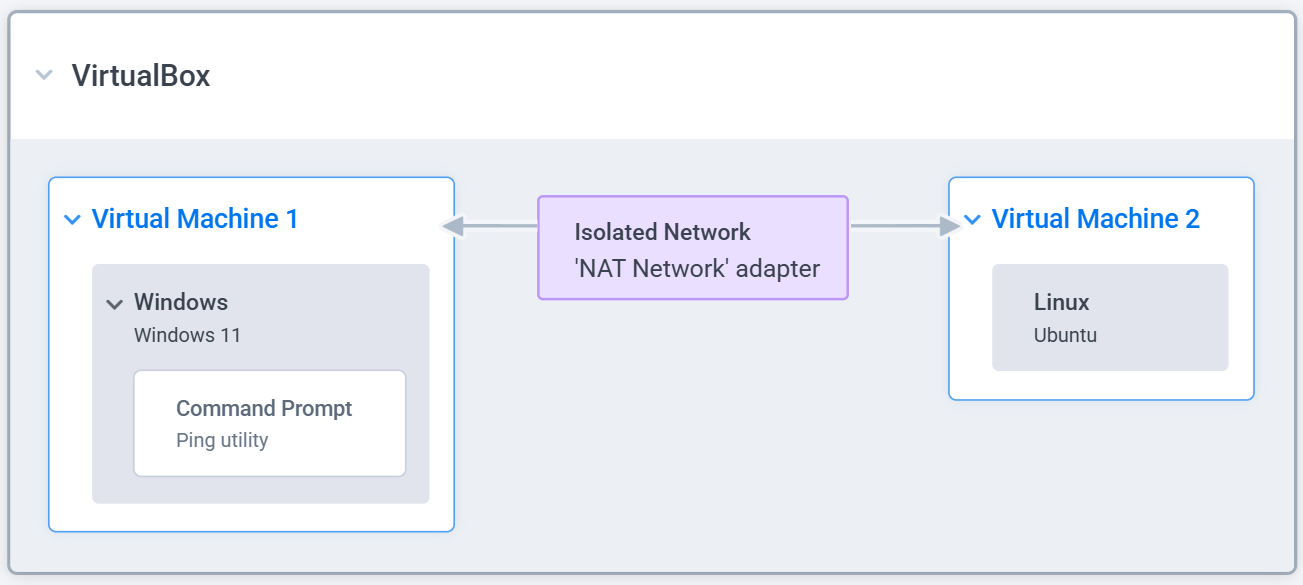
Anyone looking at this diagram should immediately understand what needs to be built. And that’s the whole point.
By creating a diagram like this, I’m confirming that I understand every part, every whole, and every relationship. It’s a self-check. I can even share it with a colleague or mentor to get independent validation—make sure nothing’s missing or off.
Once it’s clear, I’m ready for the last step: validate the system solves the end-goal.
Step 4 - Validate Approach Solves the End Goal
To meet the requirements of this exercise, I need to accomplish four specific goals.
So I’ve added each of them directly onto the system diagram to keep the outcome front and center:
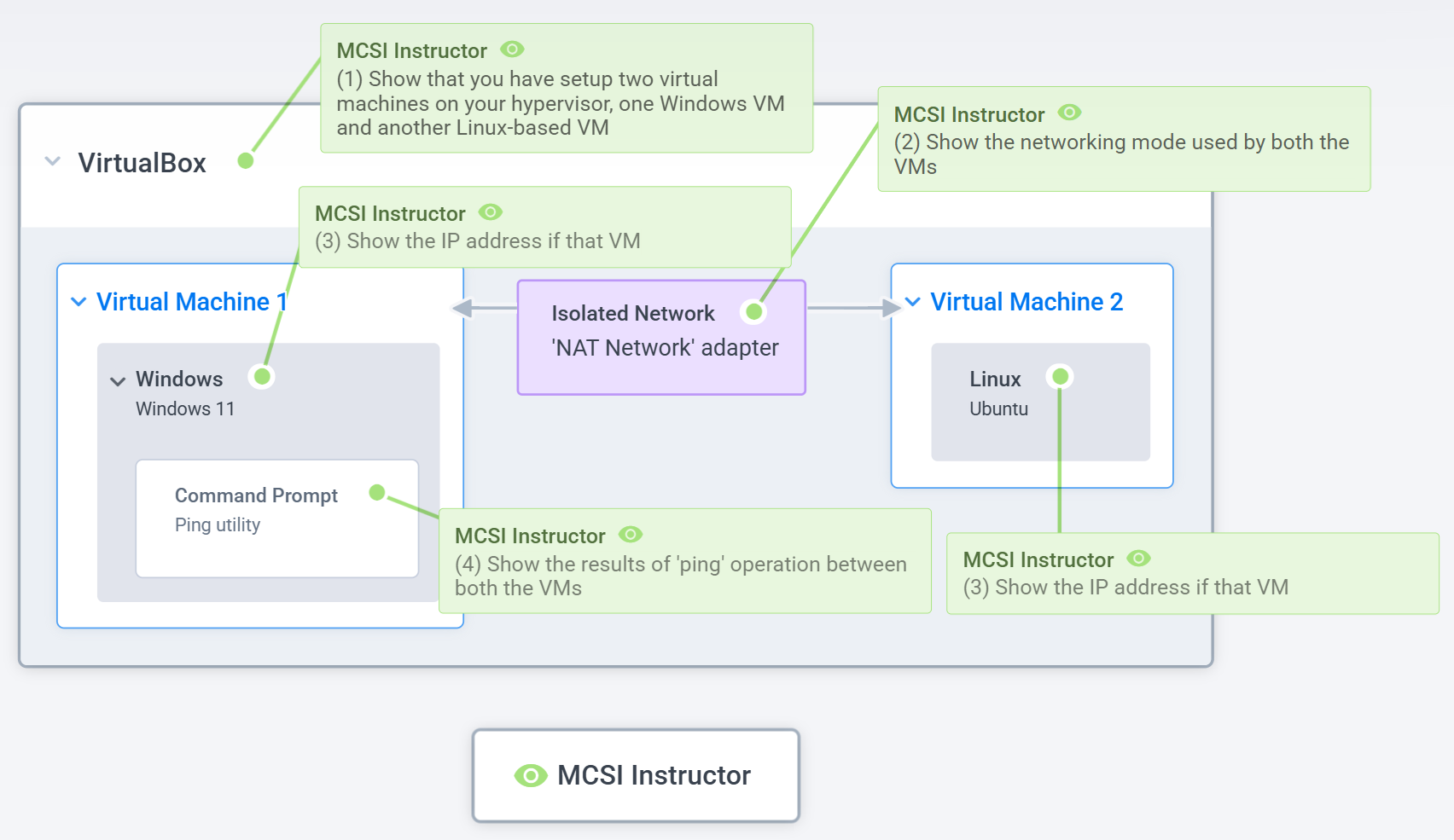
Each goal is now mapped directly onto the relevant part of the system. This makes it crystal clear where each action needs to happen and what needs to be done.
And again, this step is a check. If I’m unsure where a requirement fits, that’s a red flag. It means I’ve either misunderstood something or missed a part entirely. That’s my cue to pause, dig deeper, and fill the gap.
Conclusion
What I’ve just walked you through—step by step—is exactly how cybersecurity professionals think. They might not draw it out every time, but they mentally break things down into parts, organize them into wholes, see the relationships, and build the system in their head.
This is why the IT industry is filled with diagrams. They’re mental models that reflect how someone understood a system at a specific point in time.
If you want to solve harder problems, you need to get better — and faster — at thinking this way.
And here’s the key: there’s no “one diagram to rule them all.”
There are infinite ways to map a system. What matters is whether the diagram helps you think clearly and act confidently. It’s a tool for understanding before execution. And it’s a tool for feedback—something you can share with a teammate or mentor to check your thinking and sharpen your approach.
If you’re serious about levelling up your problem-solving and critical thinking skills to grow your cybersecurity career in 2026, now’s the time to act.
Use code EOY25 before year-end to get access to one of our top-rated cyber courses. You’ll work through real-world problems, get direct, personalized feedback from expert instructors, and start seeing massive improvement fast.
Don’t wait - invest in your growth now, so you’re ready for what’s next.